
What SD Card Do You Need for a Dash Cam?
What SD Card Do You Need for a Dash Cam?
You’ve spent time choosing a dash cam. You’ve compared video quality, night vision, WiFi and parking mode. You’ve even managed to install it without leaving a cable dangling across the windscreen.
And then comes the final detail: the memory card.
Surely any microSD card will do?
Not quite. In fact, choosing the wrong card can turn a perfectly good dash cam into a rather expensive windscreen decoration.
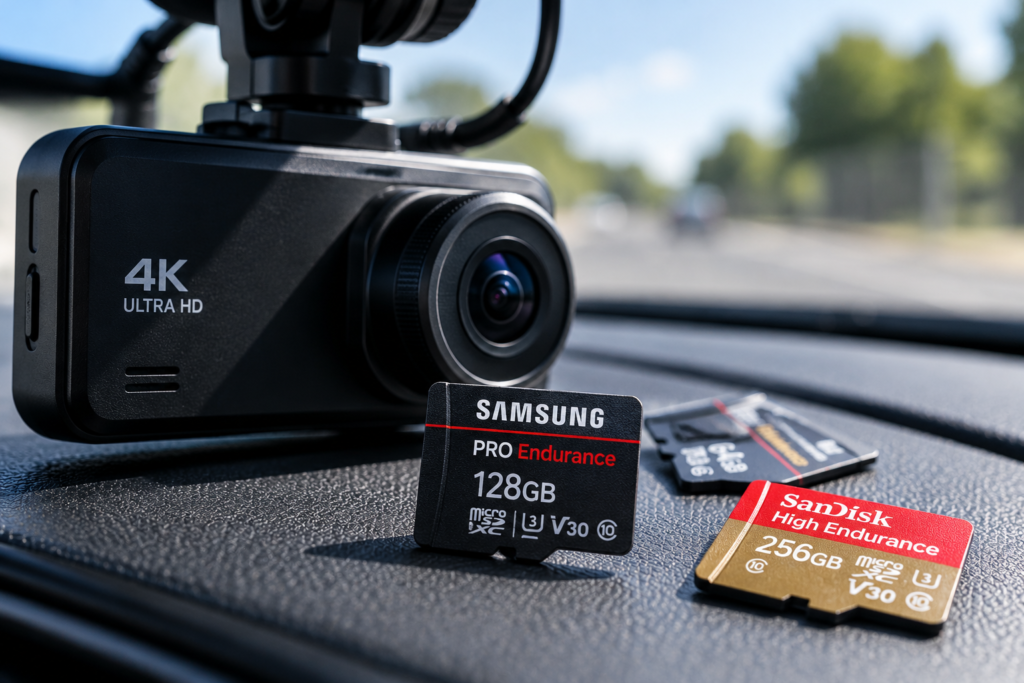
For most dash cams, a compatible high-endurance microSD card is a sensible choice. A 64GB or 128GB card is often practical for everyday recording, while 256GB may be useful for higher-resolution or dual-camera systems, provided the dash cam supports it.
But capacity is only part of the story. Recording speed, durability and compatibility can matter just as much.
In this guide, we’ll explain what the symbols on a microSD card actually mean, why high-endurance cards are worth considering and how to choose suitable storage for 1080p, 2K and 4K dash cams.
If you’re still choosing a camera, our Dash Cam Buying Guide UK explains the main features to look for before buying.
What Type of SD Card Does a Dash Cam Use?
Most modern dash cams use a microSD memory card, although the exact requirements vary between models.
MicroSD cards are small removable storage devices used in everything from cameras and smartphones to security equipment.
In a dash cam, the memory card stores video footage as the camera records your journey.
The camera typically saves footage in short video segments rather than creating one enormous file for an entire drive.
When the memory card becomes full, most dash cams use loop recording to overwrite the oldest unprotected files.
That’s convenient because you don’t need to empty the card after every journey.
However, it also means the card may be writing and rewriting video data almost every time you drive.
And that’s where the difference between an ordinary memory card and a high-endurance model starts to matter.
1. Why Do Dash Cams Need High-Endurance SD Cards?
Think about how you normally use a memory card in a digital camera.
You take some photos, perhaps record a short video, then leave the card alone until you need it again.
A dash cam works differently.
It may record continuously during your commute, overwrite old files on the way home and repeat the process the next day.
If you also use parking surveillance, the card may be working for much longer.
Flash memory has a limited write endurance. Repeatedly writing and erasing data gradually wears it out.
High-endurance microSD cards are designed for applications involving frequent or prolonged video recording, such as dash cams, CCTV systems and other monitoring equipment.
For example, Samsung’s PRO Endurance and SanDisk’s High Endurance product families are designed for repeated recording workloads.
That doesn’t mean these cards last forever or that every high-endurance card has the same lifespan.
But choosing a card designed for the job makes more sense than simply buying the cheapest card available.
High Endurance vs Regular microSD Cards
| Feature | Regular microSD | High-Endurance microSD |
|---|---|---|
| Typical intended use | General file storage, photos and compatible devices | Repeated or prolonged video recording |
| Continuous overwriting | Suitability varies | Specifically designed for recording workloads |
| Recording endurance | Depends on model | Often specified for prolonged recording use |
| Dash cam suitability | Only if compatible and appropriate | Often a good choice when supported |
| Price | Varies | May cost more |
One important point: the words “High Endurance” aren’t a universal guarantee of a particular lifespan.
Check the manufacturer’s specifications and the warranty conditions, especially if the card will be used for continuous recording.
2. What Size SD Card Do You Need for a Dash Cam?
Memory card capacity determines how much footage can be stored before older recordings start being overwritten.
Common options include 32GB, 64GB, 128GB and 256GB, with larger cards supported by certain cameras.
However, bigger isn’t automatically better.
If your dash cam only supports cards up to 128GB, buying a 512GB card won’t magically give you four times the storage.
It may simply refuse to recognise it.
32GB: Suitable for Some Basic Cameras
A 32GB card can be enough for certain basic 1080p dash cams, especially when you mainly record shorter journeys.
However, storage fills relatively quickly, particularly at higher recording bitrates.
64GB: A Practical Starting Point
For many everyday drivers, 64GB offers a useful amount of storage without requiring a particularly large card.
It may be suitable for regular commuting and basic single-camera recording, depending on the camera’s recording settings.
128GB: A Good Balance for Many Drivers
If your camera supports it, 128GB is worth considering when you want a longer recording history.
It can be particularly practical for higher-resolution recording or drivers who spend a lot of time on the road.
256GB: Useful for Higher Recording Demands
A 256GB card may be worthwhile for compatible 4K cameras, front and rear systems or extended recording.
However, the camera must support the capacity, and you’ll still need a suitable speed and endurance rating.
| Card Capacity | When It May Be Suitable |
|---|---|
| 32GB | Short journeys and basic compatible cameras |
| 64GB | Everyday single-camera recording |
| 128GB | Regular commuting, longer journeys and higher recording demands |
| 256GB | Compatible 4K and dual-camera systems |
| 512GB or larger | Specialised or supported high-capacity recording systems |
These are practical starting points, not universal compatibility recommendations.
Always check the maximum card capacity specified by your dash cam manufacturer.
3. How Many Hours Can a Dash Cam Record on a 64GB or 128GB Card?
Here’s the question everybody wants answered, and unfortunately, there’s no single figure that applies to every camera.
Recording duration depends on:
- Video resolution.
- Recording bitrate.
- Compression format, such as H.264 or H.265.
- Frame rate.
- Number of cameras recording simultaneously.
- Audio and additional recording data.
- Storage reserved for protected or event recordings.
Two cameras both advertising 4K may produce very different file sizes.
To show why bitrate matters, let’s look at an illustrative calculation.
| Combined Recording Bitrate | Approx. 64GB Recording Time | Approx. 128GB Recording Time |
|---|---|---|
| 10 Mbps | 14 hours 13 minutes | 28 hours 27 minutes |
| 20 Mbps | 7 hours 7 minutes | 14 hours 13 minutes |
| 40 Mbps | 3 hours 33 minutes | 7 hours 7 minutes |
| 60 Mbps | 2 hours 22 minutes | 4 hours 44 minutes |
These are simplified theoretical estimates using decimal card capacity and constant combined video bitrate. Actual usable recording time will be lower or different because of formatting, file overhead, reserved storage and camera settings.
Notice how the recording time changes even though the memory card capacity stays the same.
That’s why a blanket claim such as “128GB stores 20 hours of 4K footage” isn’t reliable without knowing the camera’s recording bitrate.
4. What Does Class 10 Mean on an SD Card?
When you look at a microSD card, you’ll probably notice several tiny symbols.
There’s a number inside a C, perhaps a U containing another number, and maybe a V followed by something like 30 or 60.
They look rather technical, but they describe performance ratings.
Class 10 is a traditional SD Speed Class rating indicating a minimum sequential write speed of 10 megabytes per second under the relevant standard.
This is important because a dash cam needs to write video data consistently while recording.
If the card cannot keep up with the required data rate, recording problems may occur.
However, Class 10 alone doesn’t tell you everything about the card’s suitability for high-bitrate 4K recording or prolonged overwriting.
5. What Do U1, U3, V10 and V30 Mean?
These markings describe minimum sustained sequential write performance under different SD Association speed-class systems.
And yes, the naming system could have been a little more straightforward.
Here’s what the main ratings mean.
| Speed Rating | Minimum Sequential Write Speed |
|---|---|
| Class 10 | 10 MB/s |
| U1 | 10 MB/s |
| U3 | 30 MB/s |
| V10 | 10 MB/s |
| V30 | 30 MB/s |
| V60 | 60 MB/s |
| V90 | 90 MB/s |
These are standardised minimum sustained write ratings, not guarantees of performance in every camera or under every condition.
A card marked U3 and V30 meets the corresponding 30 MB/s minimum requirements of both classifications.
For many high-resolution dash cams, V30 is a useful rating to consider, but the camera manufacturer’s requirements should always come first.
Not every 4K dash cam needs V60 or V90, and buying an unnecessarily fast card may provide little benefit if the camera cannot use that performance.
You can read the official SD Association speed class explanation to understand how these ratings are defined.
6. Is a V30 SD Card Good Enough for a 4K Dash Cam?
Often, yes, provided the specific dash cam supports it and its recording requirements are within the card’s capabilities.
V30 guarantees a minimum sequential write rate of 30 MB/s under the relevant standard.
That equals 240 megabits per second, since one byte contains eight bits.
Many consumer dash cams record at bitrates below that figure.
However, you shouldn’t use that calculation alone to determine compatibility. The camera’s firmware, recording modes, card controller and manufacturer recommendations also matter.
Some manufacturers recommend particular card models or have stricter compatibility requirements.
Our advice: For a 4K dash cam, start by checking the manufacturer’s approved speed and endurance specifications. A compatible high-endurance V30 card is often a sensible option, but don’t assume every V30 card will work with every 4K camera.
7. Does Read Speed or Write Speed Matter More?
You’ll often see large numbers printed on memory card packaging, such as “up to 100 MB/s” or “up to 200 MB/s”.
That looks impressive, but there’s a detail worth checking.
The headline figure may refer to maximum read speed rather than sustained write speed.
For dash cam recording, sustained write performance is especially important because the camera needs to save incoming video continuously.
Read speed becomes more relevant when transferring recordings to a computer or another device.
For example, a faster read speed may help you copy a large video file more quickly using a compatible card reader.
But impressive read performance won’t compensate for a card that cannot write the camera’s video stream reliably.
Always check exactly what a speed claim refers to.
8. What Is the Best SD Card for a 1080p, 2K or 4K Dash Cam?
Rather than recommending one memory card to absolutely everybody, it’s more useful to match the card to the camera.
| Dash Cam Setup | Capacity to Consider | What to Prioritise |
|---|---|---|
| 1080p Front Camera | 64GB or 128GB | Compatibility, endurance and required write speed |
| 2K / 1440p Front Camera | 64GB or 128GB | High endurance and manufacturer-approved speed |
| 4K Front Camera | 128GB or 256GB | Supported capacity, suitable sustained write speed and endurance |
| Front and Rear Camera | 128GB or 256GB | Combined recording bitrate and supported storage capacity |
| Extended Parking Recording | 128GB or 256GB where supported | Endurance, recording reliability and card health |
These suggestions assume that the camera supports the stated capacity and that the selected card meets its recording requirements.
A good high-endurance 128GB card is often a practical option for everyday use, but a camera designed around a smaller approved card may be better served by following the manufacturer’s recommendation.
And if you’re unsure whether you actually need higher-resolution recording, our 1080p vs 2K vs 4K Dash Cam comparison explains the differences in image detail and storage demands.
9. Do Front and Rear Dash Cams Need Bigger Memory Cards?
Generally, recording two video streams produces more data than recording one stream at comparable settings.
That means a front and rear dash cam may overwrite older recordings sooner when using the same memory card capacity.
But the exact difference depends on how the cameras record.
A dual-camera system with a 4K front camera and 1080p rear camera may have very different storage requirements from one recording 1080p on both channels.
The camera may also save separate front and rear video files, making it important to understand where recordings are stored.
Before buying a larger card, check the maximum supported capacity and the manufacturer’s recommendations for dual-channel operation.
If you’re deciding whether you need a rear camera at all, read our Front vs Front and Rear Dash Cam guide.
10. What SD Card Should You Use for Parking Mode?
Parking surveillance is another reason to take memory card endurance seriously.
Some cameras record only when an impact or movement is detected. Others use time-lapse or continuous low-bitrate recording.
Depending on the mode, the camera may write video data for long periods while your vehicle is parked.
A high-endurance card designed for repeated video recording can be particularly appropriate in these situations.
However, capacity is also important.
Imagine parking on a busy street where people and vehicles move past throughout the evening.
A motion-triggered camera might produce a large number of files, while continuous recording steadily uses available storage.
Some dash cams also reserve space for protected event recordings.
You’ll want enough capacity to maintain a useful recording history without assuming protected footage can remain on the card forever.
For more information on parking recording, see Do Dash Cams Record When the Car Is Off? Parking Mode Explained.
If choosing a camera specifically to monitor your parked vehicle, our Dash Cam for Parking Protection guide explains the recording features that matter most.
11. How Often Should You Format a Dash Cam SD Card?
Many dash cam manufacturers recommend periodically formatting the memory card, although the appropriate interval varies between devices.
For example, Nextbase recommends formatting the card approximately every two to three weeks in the instructions for certain models.
Other manufacturers may have different maintenance requirements or automatic formatting features.
Formatting prepares the file system for continued use and can help maintain recording operation according to the camera’s design.
But here’s the important warning.
Formatting normally deletes the recordings stored on the card, including files you may want to keep.
So if you’ve recently captured something important, back it up before formatting.
How to Format a microSD Card in a Dash Cam
- Check whether you need to save any existing recordings.
- Back up important footage to a suitable storage device.
- Insert the card correctly while following the camera’s instructions.
- Open the dash cam’s settings menu.
- Find the memory card format option.
- Confirm formatting only when you’re ready to erase the card.
- Allow the camera to complete the process.
Not every camera has exactly the same menu layout, so consult the manufacturer’s instructions.
You can also refer to the SD Association’s official memory card formatter when a manufacturer recommends computer-based formatting.
Where the dash cam manufacturer specifies formatting directly in the camera, follow that guidance.
12. What Happens When a Dash Cam SD Card Is Full?
In most dash cams, normal loop recording begins overwriting the oldest unprotected footage.
That’s one of the reasons dash cams can operate without requiring you to delete old recordings after every journey.
However, protected files may be handled differently.
Some cameras save G-sensor or parking incident recordings into a protected area or separate folder.
Depending on the system, these files may remain protected from ordinary overwriting until certain conditions are met.
If too many protected recordings accumulate, the camera may eventually warn that storage needs attention or may apply its own storage-management rules.
Don’t assume important recordings will remain available indefinitely.
If you need footage from an incident, save an independent copy as soon as it’s safe and practical to do so.
13. Why Does My Dash Cam Say ‘SD Card Error’?
Memory card problems are fairly common, and they don’t always mean the dash cam itself is faulty.
Possible causes include:
- The card capacity isn’t supported.
- The file system or formatting is incompatible.
- The card has developed errors or worn out.
- The sustained write performance is insufficient.
- The card is damaged, counterfeit or unreliable.
- The camera or card contacts aren’t making a proper connection.
- The firmware has compatibility requirements.
What Should You Do?
First, avoid repeatedly formatting a card that may contain important footage.
If you need the recordings, preserve the card and consider copying the available data using a suitable reader before attempting repairs.
For a card without important files, check the camera manufacturer’s troubleshooting instructions.
They may recommend using a supported card, formatting it correctly or updating the camera firmware.
If errors continue, replacing the card may be more sensible than trusting it with future recordings.
After all, there’s little point having a dash cam that looks reassuringly busy if it hasn’t successfully saved anything for the past fortnight.
14. How Do You Know If Your Dash Cam SD Card Is Failing?
Unfortunately, memory cards don’t always provide a convenient warning before something goes wrong.
But there are signs worth paying attention to.
- Repeated memory card errors.
- Missing or incomplete recordings.
- Video files that won’t play correctly.
- Unexpected camera restarts linked to recording.
- Frequent requests to format the card.
- Recordings stopping without an obvious reason.
- Files becoming corrupted or unreadable.
These symptoms can also have other causes, including power problems or camera faults, so they aren’t proof that the card itself is failing.
But they are reasons to investigate rather than ignoring the problem.
Should You Replace a Dash Cam SD Card Regularly?
Memory cards have a finite lifespan, but there isn’t a single replacement interval suitable for every card and dash cam.
Write endurance depends on the card’s design, recording workload, temperature and other factors.
Check the manufacturer’s recommendations and replace the card if errors appear or if it can no longer record reliably.
For heavy use, keeping a compatible spare card can be a practical precaution.
15. Can a Dash Cam Damage an SD Card?
Normal recording doesn’t physically damage a suitable card immediately, but repeated writing contributes to flash memory wear over time.
Dash cams can also operate in challenging conditions.
A vehicle interior may become very hot in summer and cold in winter.
These conditions can affect electronic equipment, including memory cards.
Some high-endurance cards are designed and tested for wider operating temperature ranges, but the exact limits vary by product.
Check the card’s environmental specifications, especially if your camera is frequently left in a parked vehicle.
Also, avoid removing the memory card while the dash cam is actively writing data unless the manufacturer specifically instructs otherwise.
Interrupting a write operation can corrupt files or cause other recording problems.
16. Are Expensive SD Cards Better for Dash Cams?
Not automatically.
A high price doesn’t guarantee compatibility, recording reliability or a longer lifespan.
Likewise, the fastest memory card available isn’t necessarily the best choice for an ordinary dash cam.
For example, a premium V90 card may offer more sustained write performance than a particular camera requires.
If the camera only supports a certain interface and recording bitrate, the additional speed may provide little practical benefit.
What matters more is choosing a genuine card from a reputable supplier with the correct capacity, supported speed rating and appropriate endurance.
Watch Out for Counterfeit Memory Cards
Counterfeit or misrepresented microSD cards can be particularly troublesome.
Some falsely report a higher storage capacity than they actually provide.
They may initially appear to work, only to overwrite or corrupt files once the real storage limit is exceeded.
Buying from reputable retailers and checking authenticity information where available can help reduce the risk.
If a very large memory card is being offered for an unbelievably low price, it’s worth asking why.
17. Can You Use the Same SD Card in Different Dash Cams?
Sometimes, but compatibility isn’t guaranteed.
One dash cam may support a particular card capacity and file system, while another has different requirements.
If you move a memory card between cameras, check the new camera’s specifications.
It may need the card to be formatted before recording.
Make sure you’ve backed up any footage you want to keep before doing so.
And if you frequently move your dash cam between vehicles, remember that camera installation and power arrangements matter too.
Our Dash Cam Without Hardwiring guide explains the main power options for different installation requirements.
18. What About WiFi Dash Cams and Cloud Storage?
A WiFi-enabled dash cam doesn’t automatically eliminate the need for a memory card.
Most standard WiFi models still store recordings locally on microSD.
WiFi simply allows compatible devices, such as smartphones, to connect to the camera for supported features.
Some cloud-connected systems offer additional online storage or remote access, but those features depend on the camera, internet connection and sometimes a subscription.
They don’t necessarily replace local recording.
Our Wireless Dash Cams Explained guide covers the difference between WiFi, cloud connectivity and remote viewing.
19. Dash Cam SD Card Buying Checklist
Before buying a memory card, check the following:
- Does your dash cam use microSD rather than a different storage format?
- What is the maximum supported capacity?
- Does the manufacturer recommend specific cards?
- Is the card designed for repeated video recording?
- Does it meet the required sustained write speed?
- Is the capacity suitable for your recording bitrate?
- Will you record from one camera or multiple cameras?
- Do you use parking surveillance regularly?
- Does the card support the required operating temperatures?
- Are you buying from a trustworthy retailer?
- Do you know how to check recordings and format the card correctly?
It’s also worth checking whether your selected dash cam already includes a memory card.
Some packages do, while others require one to be purchased separately.
If you’re shopping for a new camera, you can explore the PYC Online Dashcam collection and check the specifications and included accessories for each model.
Frequently Asked Questions
What is the best SD card for a dash cam?
A compatible high-endurance microSD card is often a sensible choice because dash cams repeatedly record and overwrite footage. The best capacity and speed rating depend on the specific camera and its manufacturer’s requirements.
Is 64GB enough for a dash cam?
For many everyday single-camera setups, 64GB can be practical. However, recording time depends on bitrate, resolution, compression and other settings. Higher recording demands may benefit from a larger supported card.
Is 128GB better than 64GB for a dash cam?
A 128GB card offers approximately twice the nominal storage capacity of a 64GB card. It may store a longer recording history, provided the camera supports it and both cards have suitable recording performance.
Do I need V30 for a 4K dash cam?
Many 4K dash cams can use compatible V30 cards, but requirements vary. V30 guarantees a minimum sustained sequential write speed of 30 MB/s under the SD standard. Always follow the camera manufacturer’s recommendations.
What is the difference between U1 and U3?
U1 indicates a minimum sequential write speed of 10 MB/s, while U3 indicates 30 MB/s under the relevant SD speed-class standard.
What is the difference between V10 and V30?
V10 indicates a minimum sustained sequential write speed of 10 MB/s. V30 indicates 30 MB/s. The higher rating can be useful for cameras with greater recording data requirements.
Can I use a normal microSD card in a dash cam?
Some ordinary microSD cards may work if they meet the camera’s requirements. However, cards designed for continuous or repeated recording are often preferable for heavy dash cam use.
Does a dash cam automatically overwrite old footage?
Most dash cams use loop recording, which overwrites older unprotected footage when storage is full. Protected event recordings may be handled differently depending on the camera.
How often should I format my dash cam SD card?
Follow your camera manufacturer’s recommendations. Some Nextbase models recommend formatting approximately every two to three weeks, while other cameras may have different maintenance guidance. Back up important recordings first.
How long does a dash cam SD card last?
There is no universal lifespan. Durability depends on the card’s endurance rating, recording workload, operating conditions and other factors. Replace the card if errors appear or it no longer records reliably.
Can a bad SD card stop my dash cam recording?
Yes. An incompatible, worn, damaged or unreliable card can cause recording failures, corrupted files or camera error messages.
Can I put a 256GB SD card in any dash cam?
No. Some cameras support 256GB cards, while others have lower maximum capacities. Always check compatibility before purchasing.
Do front and rear dash cams need faster cards?
They may have greater combined recording data requirements. The appropriate card depends on the total bitrate, recording configuration and manufacturer’s specifications.
Does a WiFi dash cam still need an SD card?
Most standard WiFi dash cams still use microSD storage. WiFi generally provides wireless access to recordings and settings rather than replacing local video storage.
Explore More Dash Cam Buying Guides
A suitable memory card helps your dash cam record reliably, but it’s only one part of choosing the right setup. Our other guides cover the features and practical questions worth understanding before buying.
- Dash Cam Buying Guide UK: How to Choose the Right Dash Cam
- Front vs Front and Rear Dash Cam: Is a Rear Camera Worth It?
- Do Dash Cams Record When the Car Is Off? Parking Mode Explained
- Wireless Dash Cams Explained: WiFi, Power Cables and Installation
- 1080p vs 2K vs 4K Dash Cams: Is 4K Really Worth It?
- Dash Cam Without Hardwiring: How Can You Power It?
- Dash Cam for Parking Protection: What Features Do You Need?
- Are Dash Cams Legal in the UK and Europe? Rules for Driving Abroad
Final Thoughts: Which SD Card Should You Buy for Your Dash Cam?
If you’re buying a memory card for a dash cam, our recommendation is to prioritise compatibility, recording endurance and reliable sustained write performance rather than choosing solely by price or the largest number printed on the packaging.
For many everyday drivers, a suitable high-endurance 64GB or 128GB microSD card will be a practical option.
If you have a 4K camera, a front and rear system or extended parking recording, a larger compatible card may be worth considering.
But don’t forget to check the manufacturer’s requirements, maintain the card properly and occasionally confirm that your recordings are actually being saved.
Because the worst time to discover that your memory card stopped working three weeks ago is immediately after something happens on the road.
Looking for a dash cam? Explore the PYC Online Dashcam collection and check the storage requirements for your chosen camera.
For more practical advice, visit our Knowledge Hub.
Leave a comment