
Dash Cam for Parking Protection: What Features Do You Need?
Dash Cam for Parking Protection: What Features Do You Need?
There’s something particularly annoying about returning to your car and discovering a fresh dent or scratch that definitely wasn’t there when you parked.
Even more annoying? Knowing that whoever caused it has probably driven off without leaving a note.
Perhaps someone caught your bumper while reversing. Maybe a shopping trolley rolled into your car. Or you’ve noticed another mysterious mark on the door and have absolutely no idea how it happened.
It’s situations like these that make a dash cam with parking protection sound rather appealing.
But before buying the first camera advertising “24H Parking Monitor”, there’s something worth understanding.
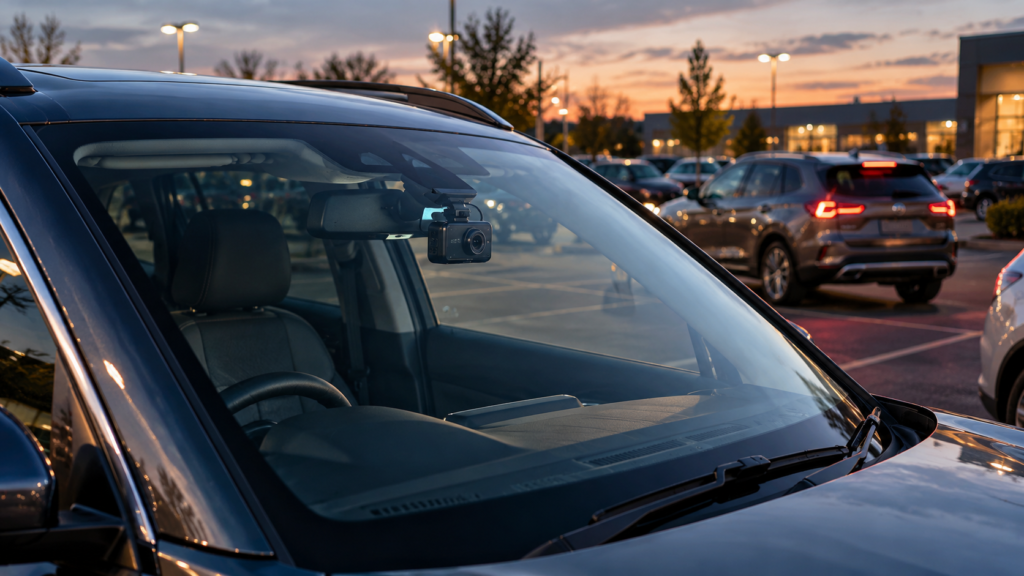
The best dash cam for parking protection isn’t necessarily the one with the highest resolution. It’s a camera that can detect the incidents you’re concerned about, capture useful footage and continue operating safely while your vehicle is parked.
That means looking at impact detection, motion sensors, recording buffers, camera coverage, night-time performance and, importantly, how the system receives power.
In this guide, we’ll explain which features are genuinely useful, what their limitations are and how to choose a parking dash cam that suits where you normally leave your car.
If you’re unfamiliar with parking recording, start with our Dash Cam Parking Mode Explained guide, which covers how different recording modes work after the engine is switched off.
Can a Dash Cam Protect Your Car While It’s Parked?
Let’s get one thing clear: a dash cam cannot physically stop someone damaging your vehicle.
It won’t prevent a careless driver from reversing into your bumper, and it certainly won’t chase after someone who decides that your car door is the perfect place to leave a scratch.
What it can potentially do is record useful evidence of an incident.
Depending on the camera and its settings, parking surveillance may capture:
- Another vehicle reversing into your parked car.
- A rear-end collision while your vehicle is unattended.
- Someone approaching your vehicle before causing damage.
- Movement around the front or rear of the car.
- An impact while the vehicle is parked.
- Some incidents involving attempted vandalism or suspicious activity.
However, no conventional dash cam guarantees that every incident will be recorded.
A camera can only capture what falls within its field of view, while the recording system must also detect the event or be recording at the time.
That’s why choosing a camera for parking protection involves more than checking whether the specifications mention a parking mode.
1. Impact Detection: Useful for Bumps and Parking Collisions
Impact detection is one of the first features to look for in a parking dash cam.
Most systems use a G-sensor, which detects changes in movement or vibration.
Imagine you’re parked outside a supermarket. Another driver misjudges the distance while reversing and bumps into your front bumper.
A compatible parking camera may detect that impact and save a recording of the event.
That footage could help explain what happened, particularly if the other driver leaves without providing their details.
What Makes Impact Detection Useful?
- It can respond to collisions while your vehicle is unattended.
- Some systems save impact recordings separately from normal footage.
- Compatible cameras may protect event recordings from routine loop overwriting.
- It can operate as part of an energy-saving parking system.
But there’s a limitation that doesn’t always receive much attention in product descriptions.
Impact detection doesn’t necessarily mean the camera captures the actual moment of impact.
Some cameras remain in a low-power standby mode and only wake up after detecting a collision.
That means the recording may begin after the vehicle has already been hit.
You might still capture another vehicle driving away, but you could miss the event itself.
Other cameras use buffered recording, which brings us to a feature worth understanding.
2. Buffered Recording: Why the Seconds Before an Accident Matter
Let’s say someone reverses into your car.
Ideally, you’d like the footage to show the approaching vehicle, the collision and what happened afterwards.
But if your dash cam only starts recording after the impact, it may capture just the final part of the incident.
Buffered parking recording helps address this problem.
With a compatible system, the camera temporarily keeps recent video information in memory while monitoring the vehicle.
When an event is triggered, it can save footage from before the trigger as well as after it.
For example, some Thinkware parking modes save recordings containing footage from both before and after a detected event. BlackVue also offers buffered event recording on supported cameras.
The exact duration and behaviour vary by model and recording mode.
Why Is Buffered Recording Worth Having?
Because sometimes the most useful information is what happened immediately before the collision.
It may show:
- The direction another vehicle approached from.
- How the vehicle was manoeuvring before contact.
- A person approaching the car before an incident.
- Additional context that might otherwise be missing.
However, buffered recording usually requires the camera to maintain some level of active monitoring.
Certain very low-power parking modes disable buffering to conserve electricity.
So don’t assume that a camera offering both impact detection and energy-saving mode automatically provides pre-event footage in every setting.
Our recommendation: If parking collisions are your main concern, buffered event recording is a feature worth prioritising, provided the camera supports it in your chosen parking mode.
3. Motion Detection: Will It Record Someone Scratching Your Car?
This is probably one of the biggest questions people have about parking protection.
Will a dash cam capture someone walking up to the car and scratching the paintwork?
The answer is that it might, but there are several things to consider.
Motion detection allows a compatible camera to respond when movement is detected within the area it can see.
For example, a camera facing forwards might record someone walking towards the front of your vehicle.
However, if the person approaches directly from the side, they may never enter the camera’s view.
And scratching a door may not produce enough physical movement to activate an impact-only G-sensor.
What Are the Limitations of Motion Detection?
- The camera only monitors areas within its field of view.
- Movement outside that area may not be detected.
- Busy streets can trigger frequent recordings.
- Sensitivity settings can affect what activates recording.
- Poor lighting may make footage less useful.
- Some low-power modes don’t support ordinary video-based motion detection.
Think about a busy supermarket car park on a Saturday afternoon.
People are walking past, vehicles are moving between spaces and someone has inevitably abandoned a shopping trolley somewhere inconvenient.
A sensitive motion-detection camera could spend a considerable amount of time recording perfectly ordinary activity.
Some systems let you adjust detection sensitivity or exclude parts of the image to reduce unwanted recording triggers.
But there’s no setting that can guarantee the camera will distinguish between harmless movement and someone about to damage your vehicle.
For that reason, motion detection is useful, but it should not be treated as complete vandalism protection.
4. Front and Rear Cameras: Is One Camera Enough?
Picture your car parked along a residential street.
Your front-facing dash cam has an excellent view of the road ahead.
Unfortunately, the vehicle that reverses into your car approaches from behind.
Unless the incident creates visible movement or some other indirect evidence in the front recording, the camera may capture very little of what happened.
That’s where a front and rear dash cam becomes more appealing.
A dual-camera system can record both directions, giving you additional coverage of the area around your vehicle.
| Camera Setup | Parking Coverage | Main Limitation |
|---|---|---|
| Front Camera Only | Area ahead of the vehicle | Limited rear and side coverage |
| Front and Rear | Areas ahead and behind | Blind spots remain along the sides |
| Three-Channel System | Depends on front, rear and third-camera orientation | Cabin-facing cameras do not necessarily capture outside side panels |
| Specialised Multi-Camera System | Potentially wider coverage | Higher cost, installation and power requirements |
For many drivers, front and rear recording is a sensible compromise between additional coverage and installation complexity.
But remember that two cameras don’t automatically provide a complete 360-degree view of the vehicle.
Even three-camera systems may have blind spots, depending on camera placement and lens orientation.
And not every camera advertised as a three-channel dash cam records both sides of the vehicle. Some use the third lens to record passengers inside the cabin.
If you’re deciding whether an additional rear camera is worthwhile, read our Front vs Front and Rear Dash Cam comparison.
5. Is a 360-Degree Dash Cam Better for Parking Protection?
You might be tempted by a camera advertising 360-degree recording.
It sounds like the ideal solution. A camera that sees everything, all the time.
Unfortunately, it’s worth checking exactly what the manufacturer means by 360 degrees.
Some systems offer a wide interior or panoramic field of view. Others use multiple cameras to cover different directions.
A wide-angle lens doesn’t necessarily provide clear external footage of every side of the vehicle.
There may also be distortion around the edges of the image, and small details can become harder to identify when a very wide scene is spread across a limited number of pixels.
Before buying a system marketed as 360-degree, check:
- How many cameras are included.
- Where each camera is intended to be mounted.
- Whether side panels are actually visible.
- The recording resolution of each camera.
- Whether all cameras operate in parking mode.
- How the system handles power and storage.
A well-positioned front and rear setup may be more useful than a poorly designed panoramic camera, depending on the type of incident you want to capture.
6. How Important Is Night Vision for Parking Protection?
Very important if your car spends much of its parked time outside after dark.
A camera that records clear footage in daylight may struggle when the vehicle is parked on an unlit street.
Low-light performance depends on several factors, including the image sensor, lens, exposure control and available lighting.
Some cameras offer High Dynamic Range (HDR) or Wide Dynamic Range (WDR) processing to help manage scenes containing both bright and dark areas.
This can be useful when passing headlights illuminate an otherwise dark car park.
What Should You Look For?
- Genuine low-light sample recordings.
- Good sensor performance in difficult lighting.
- Reasonable control of glare from headlights.
- Suitable HDR or WDR performance.
- Clear footage through the windscreen or rear window.
Be cautious with the phrase “night vision”.
Infrared illumination can be useful for cameras designed to record inside the vehicle, but it doesn’t automatically provide better footage of the road outside.
Infrared light can also reflect from glass, depending on the camera arrangement.
And even an expensive camera cannot guarantee readable number plates on a dark road.
Our advice: If your vehicle is parked outside overnight, pay attention to actual low-light footage rather than choosing a model solely because it advertises 4K resolution or night vision.
7. Is 4K Worth It for a Parking Dash Cam?
Higher recording resolution can help capture finer details.
That might be useful when trying to identify a vehicle registration number or examining a recording after an incident.
However, the extra pixels only help if the camera captures a sufficiently clear image in the first place.
For example, a genuine 4K camera may record more detail than a comparable 1080p model in good lighting.
But if the image is blurred by motion, poor exposure or heavy compression, that extra resolution may provide little practical benefit.
For parking protection, the order of priorities is slightly different from ordinary journey recording.
First, make sure the camera can operate while parked.
Then consider what triggers recording, whether pre-event footage is available, which areas are covered and how the camera performs at night.
After that, resolution becomes an important additional consideration.
We’ve explained the differences in our 1080p vs 2K vs 4K Dash Cam guide.
8. Does a Parking Dash Cam Need Hardwiring?
Not always, but it does need an appropriate power supply.
This is where some buyers discover that the camera they’ve chosen needs an additional accessory to provide the parking features they expected.
A standard dash cam plugged into a vehicle’s accessory socket may stop recording when the ignition is switched off.
To enable parking surveillance, certain models require a compatible hardwire kit, OBD-II power adapter or dedicated external battery.
The exact arrangement depends on the camera and vehicle.
Hardwire Kits
A compatible hardwire kit can provide the power and ignition information needed for certain parking modes.
Some kits also include low-voltage protection to reduce the risk of draining the vehicle battery excessively.
OBD-II Power Adapters
Certain manufacturers offer suitable OBD-II adapters that can provide power without connecting directly to the fuse box.
However, compatibility with both the camera and vehicle must be checked.
Dedicated Dash Cam Battery Packs
An external battery pack designed for dash cam use can provide a separate source of power while the car is parked.
These systems may be useful if you want extended parking surveillance without relying entirely on the vehicle’s starter battery.
They also introduce additional cost and have finite recording durations.
For a detailed comparison of installation choices, read Dash Cam Without Hardwiring: How Can You Power It?.
9. How Do You Avoid Draining Your Car Battery?
It’s probably fair to say that nobody installs a dash cam to protect their car and hopes to be rewarded with a vehicle that won’t start the next morning.
Unfortunately, extended parking recording uses electricity, and that electricity has to come from somewhere.
If your camera draws power from the vehicle battery while the engine is switched off, it can contribute to battery discharge.
This is particularly important during cold weather, when an ageing battery may already be struggling.
Look for Low-Voltage Protection
Some dash cams or power accessories can monitor the vehicle’s battery voltage and shut down recording when a configured threshold is reached.
This helps limit further discharge, although it cannot guarantee that the vehicle will start under every condition.
Consider a Parking Timer
Certain systems allow parking recording to stop automatically after a selected period.
This may be useful if you mainly want monitoring during shorter parking periods.
Check for Energy-Saving Modes
Some cameras use low-power standby rather than continuous recording.
Thinkware, for example, offers energy-saving parking features on supported models, including systems that wake in response to detected events.
However, these modes may not support all the same recording functions as continuous monitoring.
Consider an External Battery
If extended parking recording is important, a compatible dedicated battery pack may be worth considering.
But remember that battery capacity, charging time and camera consumption still determine how long recording can continue.
There is no universal guarantee that a particular dash cam will record for 12, 24 or 48 hours in every vehicle.
Always check the manufacturer’s operating requirements and power-management features.
10. Is Radar Parking Mode Better Than Motion Detection?
Some advanced dash cams offer radar-assisted parking surveillance.
Rather than relying entirely on continuous video-based motion detection, these systems can use radar to detect certain approaching objects while consuming relatively little power.
On compatible Thinkware systems, radar-assisted modes can wake the camera when relevant movement is detected.
This can help reduce power use compared with keeping the camera fully active all the time.
But radar isn’t magic, and the exact detection behaviour varies.
For example, certain Thinkware radar modules are designed to detect vehicles rather than every pedestrian passing nearby.
Detection range, compatible camera models and recording behaviour must all be checked.
Also, radar-assisted recording may require a particular power arrangement and may not be available with every parking mode.
When Might Radar Be Useful?
It may appeal to drivers who want longer parking surveillance and are particularly concerned about approaching vehicles.
However, it isn’t necessarily the best choice if your main concern is someone walking alongside the car and scratching a door.
The ability to detect that type of activity depends on the system’s specific capabilities.
Don’t assume that an advertised radar feature means complete detection of all activity around the car.
11. Do You Need Cloud Recording or Remote Notifications?
Some dash cams can send alerts or provide remote access through a compatible internet-connected system.
This may sound particularly attractive if your car is parked away from home.
Imagine receiving a notification that your vehicle has detected an impact while you’re inside a shopping centre.
Depending on the system, you may be able to review an alert or access relevant footage.
However, there’s an important difference between ordinary WiFi connectivity and internet-based remote monitoring.
A typical WiFi dash cam may only connect directly to your phone when you’re close to the vehicle.
Remote features may require:
- A compatible cloud-connected dash cam.
- Internet access through an approved connection.
- A suitable mobile app.
- An active parking power supply.
- A paid subscription for certain services.
Even then, notifications depend on network coverage, power availability and the manufacturer’s service.
Cloud access can be useful, but it isn’t essential for every driver.
If you mainly want footage saved locally for later review, a reliable camera with a suitable memory card may be sufficient.
Read our Wireless Dash Cams Explained guide to understand the difference between WiFi and true remote connectivity.
12. What Memory Card Is Best for Parking Surveillance?
Parking surveillance can put additional demands on a memory card, especially when a camera records regularly or uses continuous monitoring.
Most conventional dash cams use microSD cards and overwrite older unprotected footage as storage becomes full.
For a parking camera, we recommend checking whether the manufacturer supports high-endurance memory cards designed for repeated video recording.
You’ll also need to consider storage capacity.
A dual-camera system recording at high resolution can create more data than a basic front-only camera.
And a busy parking location may produce many more triggered recordings than a quiet driveway.
What Should You Check?
- The maximum supported card capacity.
- The required speed class.
- Whether a high-endurance card is recommended.
- How protected event recordings are stored.
- Whether the camera uses separate storage allocations for parking footage.
- How the system warns you about recording or memory card problems.
Don’t assume that a recording has been saved successfully just because the camera has a memory card installed.
It’s worth checking sample recordings periodically and following the manufacturer’s maintenance and formatting recommendations.
Our Dash Cam SD Card guide explains how to choose suitable storage.
13. Can Parking Dash Cams Overheat?
Yes. Cars can become extremely hot when parked in direct sunlight, even in the UK.
A camera mounted near the windscreen may be exposed to significant heat during the summer.
Different dash cams have different operating temperature limits, and some include thermal protection features.
Certain supported models can change their recording behaviour when internal temperatures become too high.
For example, some Thinkware systems can switch to a reduced-power impact recording mode under specified temperature conditions.
That doesn’t mean every dash cam offers this feature, and it doesn’t guarantee unlimited operation in extreme heat.
When comparing cameras for parking protection, check the manufacturer’s operating temperature specifications and thermal safeguards.
This is particularly important for vehicles parked outside for long periods.
14. Are Parking Dash Cams Legal in the UK?
Dash cams are generally legal to use in the UK, including for parking surveillance, but installation and recording must be handled responsibly.
The camera must not obstruct the driver’s view when the vehicle is being driven, and wiring must not interfere with safe operation.
Privacy considerations also matter.
For personal use, the legal position depends on the circumstances. Recordings used only for purely personal or household purposes may be treated differently from footage captured or shared in ways that fall within data protection rules.
If you operate a surveillance system that records public areas, neighbouring property or identifiable people, you should consider whether data protection obligations apply.
For example, the UK government’s guidance on domestic CCTV explains that recording areas beyond a private property boundary can create data protection responsibilities.
Although that guidance concerns domestic surveillance systems rather than every dash cam scenario, it highlights why camera use, positioning and the handling of footage should be considered carefully.
You can read the UK government guidance on domestic CCTV and privacy for further information.
Sharing identifiable footage publicly may raise different issues from privately preserving evidence of an incident.
If you drive outside the UK, remember that recording and privacy requirements can vary between European countries.
Our Dash Cam Laws in the UK and Europe guide covers the considerations for travelling abroad.
15. Which Dash Cam Is Best for Your Parking Situation?
Rather than recommending one type of camera to everyone, we’d start by looking at where you usually park.
After all, the person leaving a car on a quiet private driveway has rather different concerns from someone parking on a busy city street every night.
| Parking Situation | Features Worth Considering |
|---|---|
| Quiet private driveway | Impact detection and suitable power management |
| Residential street | Front and rear coverage, buffered recording and night performance |
| Busy supermarket car park | Motion and impact detection, useful camera coverage |
| Workplace car park | Buffered recording, parking timer and suitable power supply |
| Overnight public parking | Low-light performance, battery protection and recording reliability |
| Long periods without driving | Energy-saving mode or suitable external battery |
| Concern about side damage | Careful assessment of blind spots and multi-camera coverage |
| Wanting remote alerts | Supported cloud connectivity and reliable internet access |
These are suggestions rather than guarantees. The camera’s actual performance and compatibility still matter.
16. Parking Dash Cam Buying Checklist
Before buying a dash cam specifically for parking protection, ask yourself the following questions.
- Does the camera support a dedicated parking mode?
- Can it record footage from before an impact?
- Does it support motion detection, impact detection or both?
- Will the camera record at night in the conditions where I normally park?
- Do I need front and rear coverage?
- Are there important blind spots around my vehicle?
- Does the camera require a hardwire kit or another power accessory?
- Does it offer low-voltage battery protection?
- Can I control how long parking surveillance operates?
- Does it support a suitable high-endurance microSD card?
- Will both cameras record in parking mode if I choose a dual system?
- Are the required accessories included in the purchase price?
- What happens if the camera overheats or loses power?
- Can I access protected event footage easily?
It’s worth checking these points before purchasing rather than discovering afterwards that the camera needs several additional accessories to provide the protection you expected.
You can browse dash cams at PYC Online and compare the available recording configurations, night vision features and parking monitoring options.
Remember to check the individual product specifications and selected variants, as features and included accessories differ between models.
Frequently Asked Questions About Parking Dash Cams
What is the best dash cam for parking protection?
The best choice depends on where you park and the incidents you’re most concerned about. Look for reliable parking mode, suitable camera coverage, good low-light performance, compatible power options and battery protection. Buffered recording may be especially useful for capturing the moments leading up to an incident.
Can a dash cam record someone scratching my car?
Possibly. A camera with motion detection or continuous parking recording may capture someone approaching the vehicle, provided the activity falls within its field of view. However, scratching a door may not trigger impact-only recording, and conventional front and rear cameras can have side blind spots.
Will a dash cam record a hit-and-run while parked?
It may. A compatible parking mode can detect certain impacts and save footage, but whether the actual collision is recorded depends on the camera’s recording method, buffering, power supply and field of view.
Is a front and rear dash cam better for parking?
It can provide additional coverage because it records both directions. However, front and rear cameras don’t automatically capture incidents happening directly alongside the vehicle.
Do I need a 4K dash cam for parking protection?
Not necessarily. Genuine 4K recording can provide more image detail, but reliable parking recording, suitable coverage, low-light performance and correct power arrangements may be more important.
Can a dash cam record all night?
Some systems support extended parking surveillance, provided they have enough power and suitable recording settings. Actual duration depends on camera consumption, battery capacity, voltage protection and other operating limits.
Will a parking dash cam drain my car battery?
It can if it continues drawing electricity from the starter battery while the engine is switched off. Low-voltage protection and dedicated battery systems can help manage this risk, but no setup guarantees unlimited recording or battery availability.
Is motion detection better than impact detection?
They serve different purposes. Impact detection responds to physical movement or collisions, while motion detection responds to visible activity within the camera’s view. Which is more useful depends on the situation. Some cameras support both.
What is buffered parking recording?
Buffered recording allows certain dash cams to save footage from shortly before a detected event as well as afterwards. This can provide additional context, although it isn’t supported in every parking mode.
Can a dash cam send an alert when someone hits my parked car?
Some cloud-connected cameras can provide supported remote notifications, but this typically requires suitable internet connectivity, power and sometimes a subscription. Ordinary local WiFi does not automatically provide remote alerts.
Are 360-degree dash cams better for parking?
Not automatically. A 360-degree claim can describe different camera arrangements. Check which areas are actually visible, the recording resolution and whether the camera supports the required parking mode.
Can I use parking mode without hardwiring?
Sometimes. Certain cameras support compatible OBD-II power adapters or dedicated external batteries. Other models require a hardwire kit. Always check the manufacturer’s installation requirements.
Explore More Dash Cam Buying Guides
Still comparing cameras? Our Knowledge Hub covers the other features worth understanding before buying.
- Dash Cam Buying Guide UK: How to Choose the Right Dash Cam
- Front vs Front and Rear Dash Cam: Is a Rear Camera Worth It?
- Do Dash Cams Record When the Car Is Off? Parking Mode Explained
- Wireless Dash Cams Explained: WiFi, Power Cables and Installation
- 1080p vs 2K vs 4K Dash Cams: Is 4K Really Worth It?
- Dash Cam Without Hardwiring: How Can You Power It?
- What SD Card Do You Need for a Dash Cam?
- Are Dash Cams Legal in the UK and Europe? Rules for Driving Abroad
Final Thoughts: Is a Dash Cam Worth Buying for Parking Protection?
If your car spends most of its time parked somewhere secure, you may never need advanced parking surveillance.
But if you regularly leave it on public streets, in busy car parks or anywhere accidental damage is a concern, a dash cam with suitable parking features can be worth considering.
Just don’t confuse a long list of specifications with useful protection.
Impact detection is helpful, but it may not capture the lead-up to a collision. Motion detection can record activity around the vehicle, but it has blind spots. High resolution can provide more detail, but it won’t make a difference if the camera has already switched off.
And a system promising 24-hour monitoring isn’t much use if the power arrangement doesn’t support the way you want to use it.
Our recommendation: Choose a camera based on the incidents you want to capture, the areas you need to monitor and the power arrangement your vehicle can support.
For many drivers, a reliable front and rear system with buffered parking recording, suitable night-time performance and battery protection will be worth considering.
But if you’re mainly worried about a particular area of your vehicle, check that the camera can actually see it before paying for additional features.
After all, discovering that your camera recorded eight hours of an empty road but completely missed somebody scraping your car door would be rather frustrating.
Ready to compare your options? Explore the PYC Online Dashcam collection to review available cameras and their features.
For more practical advice on choosing and using car technology, visit our Knowledge Hub.
Leave a comment