
How to Choose a Smart Thermostat for Your Home: UK Buying Guide
Choosing the right smart thermostat can make your home heating easier to manage, but finding the right model isn’t always straightforward. WiFi or Zigbee? A thermostat for your boiler or smart valves for individual radiators? And will it work with your existing heating system?
The best smart thermostat for your home depends on the type of heating you have, how much control you want and whether you’re planning to connect other smart home devices.
This UK buying guide explains the main types of smart thermostats, what features are worth considering and how to avoid common mistakes before making a purchase.
What Is a Smart Thermostat?
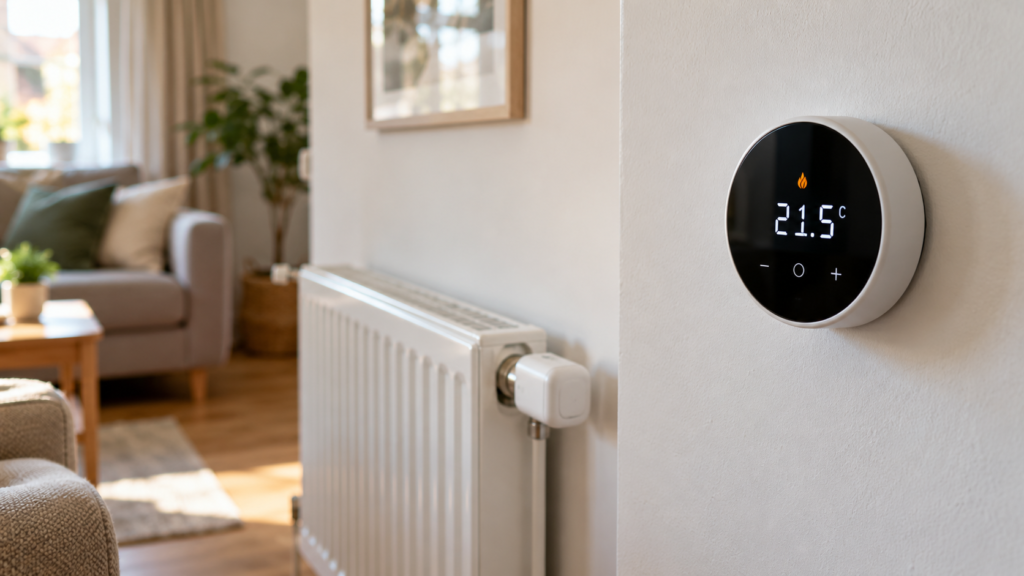
A smart thermostat is a heating controller that allows you to manage your home’s temperature, often through a smartphone app. Unlike a basic manual thermostat, many smart models offer programmable schedules, remote access and integration with other connected devices.
Depending on the model, you may be able to:
- Adjust the temperature from your phone.
- Create different heating schedules for weekdays and weekends.
- Control your heating using Alexa or Google Assistant.
- Set temperatures for individual rooms when used with compatible devices.
- Monitor heating activity or view temperature history.
- Connect heating controls with other smart home products.
Not every smart thermostat offers all these features. Some simply provide app-based temperature control, while others form part of a larger heating system.
Before choosing one, it’s worth deciding which functions you will actually use.
1. Check Your Heating System First
The most important step when buying a smart thermostat is checking compatibility with your existing heating system.
A thermostat designed for electric underfloor heating is not necessarily suitable for controlling a gas boiler. Even thermostats that look almost identical may use different wiring, outputs and control methods.
Gas Boilers and Central Heating
If your home uses a gas boiler, you need a thermostat designed to work with the boiler’s control system.
Some boilers use simple on/off switching, while others support communication protocols that allow more advanced temperature control. A thermostat with a dry-contact relay may suit certain on/off installations, but this does not mean it is compatible with every boiler.
Check the boiler manufacturer’s documentation and the thermostat’s connection requirements before ordering.
For a more detailed explanation, read our UK boiler and smart thermostat compatibility guide.
Underfloor Heating
Underfloor heating requires particular attention because electric and water-based systems have different control requirements.
Electric underfloor heating thermostats may switch an electrical heating load directly, subject to their rated capacity. Water-based systems generally control valves or actuators connected to a manifold.
Some models also use an external floor temperature sensor to help control or limit floor temperature.
If you’re upgrading an existing installation, make sure the replacement supports the correct heating type, sensors and wiring arrangement.
Our guide to choosing a smart thermostat for underfloor heating explains these differences in more detail.
Radiators and Individual Room Control
If you have conventional radiators, you may also want to consider smart thermostatic radiator valves, commonly called smart TRVs.
These replace compatible thermostatic radiator heads and adjust heat output at individual radiators according to room temperature or a schedule.
However, a smart radiator valve does not automatically control your boiler. Depending on your heating system, you may need a compatible central thermostat, boiler controller or additional automation.
Read our smart thermostat vs smart radiator valves comparison to understand which approach is more suitable.
2. Choose Between WiFi and Zigbee
Two common wireless technologies used in smart heating devices are WiFi and Zigbee. Both can provide app-based control, but they work differently.
WiFi Smart Thermostats
A WiFi thermostat typically connects to your home network through a compatible wireless router. Many models offer remote control through an app without requiring a separate smart home gateway.
WiFi can be a convenient option if you only want to control one thermostat and don’t plan to build a larger network of smart devices.
However, you should still check the WiFi requirements. Many smart home devices support 2.4 GHz networks rather than 5 GHz-only connections.
Zigbee Smart Thermostats
Zigbee is a wireless communication technology designed for connected devices. Zigbee thermostats commonly connect through a compatible gateway, which allows them to communicate with an app or smart home platform.
This can be useful when connecting multiple thermostats, radiator valves and other Zigbee devices.
Remember that not all Zigbee products work with every Zigbee hub. Compatibility depends on the device, gateway and supported software integration.
For a detailed comparison, see WiFi vs Zigbee Smart Thermostats: Which Is Better?
3. Decide Whether You Need Room-by-Room Heating Control
A single smart thermostat generally controls heating according to the temperature measured in one location. This works well for many households, but it may not provide the level of control you want in every room.
For example, your living room might reach its target temperature while a bedroom remains cooler. Alternatively, you may want to heat your home office during working hours without unnecessarily heating unused rooms.
Smart radiator valves can help regulate temperatures in individual rooms. When combined with a compatible heating controller, they may also support coordinated room-by-room heating demand.
Think about how you use your home:
- Do you spend most of your time in one or two rooms?
- Do bedrooms need different heating schedules?
- Do you work from home?
- Would you prefer one central schedule or independent room settings?
If individual room control is important, our smart radiator valves guide explains how the devices operate and what you need to get started.
4. Look for Features You’ll Actually Use
Smart thermostats can have long lists of features, but the most expensive or feature-packed option isn’t necessarily the best choice.
Heating Schedules
Programmable schedules let you set different temperatures throughout the day. For example, you might prefer a warmer home in the morning and evening with a lower target temperature overnight.
Look for a model that offers enough flexibility for your routine, particularly if your working hours change during the week.
Remote App Control
Remote control can be useful when your plans change unexpectedly. Instead of leaving the heating on its normal schedule, you may be able to adjust the temperature or activate an away mode from your phone.
Check whether remote access requires an internet connection, gateway or specific app.
Voice Assistant Compatibility
Some thermostats support Amazon Alexa or Google Assistant, allowing you to adjust compatible heating settings using voice commands.
If this matters to you, check the exact product variant and integration requirements rather than relying on a generic compatibility logo.
Temperature Sensors and Calibration
Some thermostats support external sensors or temperature calibration. These features can be particularly useful for underfloor heating or installations where the thermostat’s location affects temperature readings.
Check which sensors are supported and whether they’re included in the package.
Manual Control
Don’t overlook the controls on the thermostat itself. A clear display, responsive buttons or a simple rotary dial can make everyday use easier, especially for household members who prefer not to use an app.
5. Check Whether You Need a Hub or Gateway
One of the most common sources of confusion when buying smart heating products is whether an additional hub is required.
Many WiFi thermostats connect directly to a compatible home router, although their control systems can still depend on cloud services.
Zigbee devices usually require a compatible Zigbee coordinator or gateway to provide app connectivity and smart home integration.
Before ordering, check:
- Whether the device needs a separate gateway.
- Whether a gateway is included in the selected package.
- Which app or smart home platform is supported.
- Whether your existing hub supports the exact model.
- Which functions remain available if the internet connection is lost.
Read Do You Need a Zigbee Hub for a Smart Thermostat or Radiator Valve? for more information.
6. Consider Installation and Wiring
Not all smart thermostats are simple replacements for existing wall controls.
Some are battery-powered wireless units that communicate with a separate receiver. Others require mains power and connection to heating controls. Certain models also need additional wiring, a neutral conductor or an external sensor.
Before purchasing, check the installation manual for:
- Supply voltage and power requirements.
- Control output type and electrical rating.
- Existing wiring compatibility.
- Receiver or gateway requirements.
- Sensor connections, where applicable.
- Installation location and mounting dimensions.
For UK homes, fixed electrical wiring and boiler-control connections should be assessed and installed by an appropriately competent professional. Gas-related work must be carried out by a Gas Safe registered engineer where required.
Never assume a thermostat is compatible solely because its appearance or wiring terminals resemble your existing model.
7. Can a Smart Thermostat Reduce Heating Bills?
A smart thermostat can help you manage heating more efficiently, particularly if you’re replacing basic controls with a system that offers useful scheduling and remote access.
For example, reducing unnecessary heating when you’re away or lowering the target temperature during certain periods may reduce energy consumption.
However, savings are not automatic. They depend on your existing controls, heating system, insulation, household habits and how you configure the thermostat.
A smart thermostat that maintains the same temperatures for the same periods as your current system may deliver little or no additional saving.
We explore this in Do Smart Thermostats Save Money on Heating Bills?.
8. Which Smart Thermostat Should You Choose?
The right choice depends on what you’re trying to achieve.
- For simple remote heating control: Consider a compatible WiFi thermostat with app access and programmable schedules.
- For an existing Zigbee smart home: Look for a Zigbee thermostat supported by your gateway and heating system.
- For individual radiator control: Consider smart TRVs and check whether central boiler control is also required.
- For electric underfloor heating: Choose a model designed for the correct electrical load and floor sensor arrangement.
- For water-based underfloor heating: Check compatibility with the manifold actuators and control equipment.
- For a gas boiler: Confirm the boiler’s supported control method before selecting a thermostat.
You can explore the Smart Thermostat collection at PYC Online, which includes WiFi and Zigbee heating controls, radiator valves and underfloor heating options.
For example, our Zigbee Smart Knob Thermostat is available in different versions for specific heating applications. It is important to select the correct version rather than assuming one model will suit every installation.
If you’re interested in room-by-room control, you can also look at the Zigbee TRV Radiator Valve, which uses the Tuya Smart Life platform and requires a compatible Zigbee gateway.
Smart Thermostat Buying Checklist
Before placing your order, make sure you can answer these questions:
- What type of heating system do I have?
- Is the thermostat compatible with my boiler or heating controls?
- Do I want WiFi or Zigbee connectivity?
- Will I need a separate gateway or receiver?
- Do I want to control the whole home or individual rooms?
- Does the thermostat support my preferred app or voice assistant?
- Are the power supply and wiring requirements suitable?
- Are all required accessories included?
Taking a few minutes to check these details can help you avoid buying the wrong model or discovering unexpected installation requirements.
Frequently Asked Questions
Can I install a smart thermostat in any UK home?
Many UK homes can use smart heating controls, but not every thermostat is compatible with every installation. The correct choice depends on your boiler, heating system, wiring and control requirements.
Do smart thermostats work without WiFi?
Some models continue to provide basic local temperature control without internet access, but remote access and certain smart features may become unavailable. This varies by product.
Is a Zigbee thermostat better than a WiFi thermostat?
Neither is automatically better. WiFi may be simpler for a single device, while Zigbee can be useful within a compatible smart home network. The best option depends on your existing equipment and requirements.
Do I need smart radiator valves as well as a smart thermostat?
Not necessarily. A central smart thermostat may be sufficient if you’re happy with whole-home control. Smart radiator valves are worth considering if you want different temperature settings in individual rooms.
Can I control a smart thermostat with my phone?
Many models support smartphone control through apps such as Tuya or Smart Life. Check the exact product specification for supported apps and any additional gateway requirements.
Will a smart thermostat automatically save me money?
No savings are guaranteed. Smart controls can help reduce unnecessary heating when configured appropriately, but the results depend on how your home is heated and how you use the system.
Final Thoughts
Choosing a smart thermostat doesn’t need to be complicated. Start by identifying your heating system, then decide whether you need simple remote control, advanced scheduling or individual room temperature management.
Compatibility should always come before extra features. A well-matched thermostat with straightforward controls is usually a better choice than a more advanced model that doesn’t suit your installation.
Once you understand the differences between WiFi, Zigbee, central thermostats and radiator valves, you’ll be in a much better position to choose a heating solution that fits your home.
Related Guides
- WiFi vs Zigbee Smart Thermostats: Which Is Better?
- Will a Smart Thermostat Work With My Boiler?
- Smart Thermostat vs Smart Radiator Valves
- Smart Radiator Valves Explained
- Best Smart Thermostats for Underfloor Heating
- Do You Need a Zigbee Hub?
- Do Smart Thermostats Save Money?
Further Reading
- Energy Saving Trust – Independent guidance on home heating and energy efficiency.
- Gas Safe Register – Information about gas safety and finding registered engineers.
- Electrical Safety First – Guidance on electrical safety in UK homes.
People Also Search For
how to choose a smart thermostat, best smart thermostat UK, smart thermostat buying guide, WiFi vs Zigbee thermostat, smart thermostat for gas boiler, smart thermostat compatibility, smart radiator thermostat, smart TRV, underfloor heating thermostat, Tuya smart thermostat, smart heating controls, Zigbee heating thermostat


Leave a comment