
Do You Need a Zigbee Hub for a Smart Thermostat or Radiator Valve?
You’ve found a smart thermostat or radiator valve that works with Zigbee, but then you notice something in the product description: “Zigbee gateway required”. Does that mean you need to buy another device? Will your existing WiFi router work? And can you use a Zigbee thermostat without a hub?
Most Zigbee smart thermostats and radiator valves require a compatible Zigbee coordinator or gateway to join a Zigbee network and use connected features such as smartphone control, schedules and smart home integrations. However, you might not need to buy a separate hub if your existing smart home equipment already provides compatible Zigbee coordinator functionality.
The key is understanding what your device needs and checking compatibility before ordering.
This UK guide explains how Zigbee hubs work, how they differ from ordinary WiFi routers and what to look for when connecting smart thermostats, radiator valves and other smart heating devices.
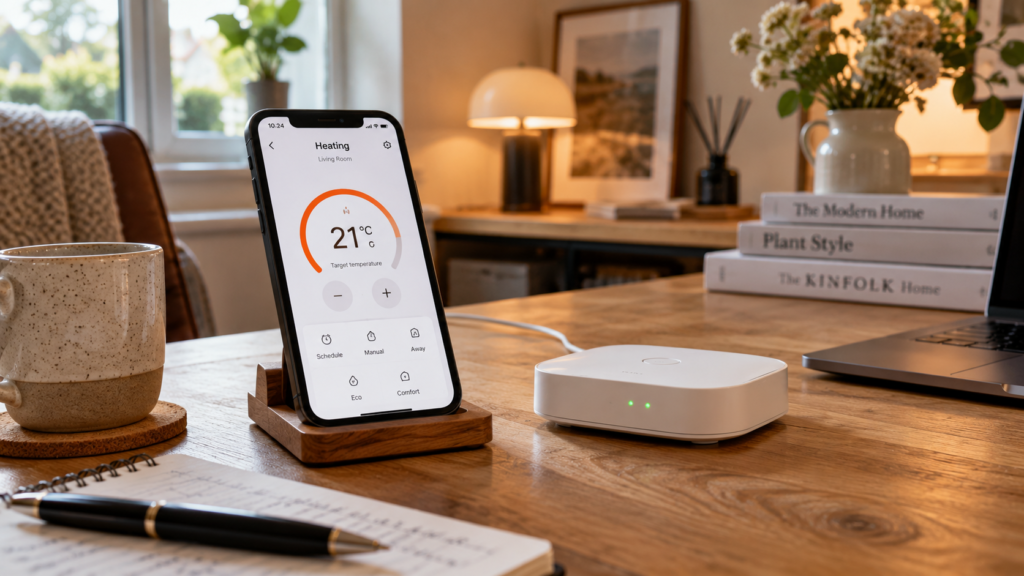
What Is a Zigbee Hub?
A Zigbee hub is a device that manages communication between compatible Zigbee products. It often acts as the central connection point for a Zigbee smart home network.
The terms Zigbee hub, gateway and coordinator are frequently used together, although they aren’t always exactly the same thing.
A Zigbee coordinator starts and manages a Zigbee network, while a gateway commonly connects that network to another system, such as your home network, smartphone app or cloud service.
Many consumer products combine these functions into a single device and are marketed as Zigbee hubs or gateways.
For example, a Zigbee smart radiator valve can send its temperature readings and receive instructions through a compatible Zigbee network. The gateway may then make these controls available in an app such as Tuya Smart or Smart Life.
Depending on the hub and platform, you may be able to create schedules, manage multiple devices and connect them to supported voice assistants.
1. Why Do Zigbee Thermostats Need a Hub?
Most conventional smartphones and home WiFi routers don’t communicate directly using the Zigbee protocol.
WiFi and Zigbee are different wireless technologies, even though many devices using either technology operate in the 2.4 GHz frequency band.
That’s why having a WiFi router doesn’t automatically mean you can connect a Zigbee thermostat to it.
The thermostat generally needs to join a Zigbee network managed by a compatible coordinator.
In a typical smart heating installation, the connection works like this:
- The Zigbee thermostat or radiator valve communicates with a compatible Zigbee coordinator.
- A gateway connects the Zigbee network to a supported smart home system.
- The smartphone app communicates with the system through its supported local or cloud connection.
- You can adjust temperatures, manage schedules and access other available functions.
The exact arrangement depends on the gateway and platform. Some support local control, while others rely more heavily on internet-based services.
Our WiFi vs Zigbee Smart Thermostats guide explains the wider differences between the two wireless technologies.
2. Is a Zigbee Gateway the Same as a WiFi Router?
No. A standard WiFi router and a Zigbee gateway have different functions.
Your WiFi router provides wireless network access to compatible devices such as smartphones, computers and WiFi thermostats.
A Zigbee gateway manages communication with compatible Zigbee devices.
Many Zigbee gateways connect to your existing router through WiFi or an Ethernet cable, but that doesn’t make Zigbee devices ordinary WiFi devices.
| Feature | WiFi Router | Zigbee Gateway |
|---|---|---|
| Main purpose | Provides home network connectivity | Connects and manages compatible Zigbee devices |
| Wireless protocol | WiFi | Zigbee |
| Connects Zigbee devices directly | Usually no | Yes, when compatible |
| Internet access | Usually provides internet connectivity through your broadband service | May use the home network for remote access |
| Smartphone app integration | Depends on connected devices | Depends on gateway and supported platform |
| Heating controls | Connects compatible WiFi heating devices | Connects compatible Zigbee heating devices |
Some modern smart home equipment includes both WiFi connectivity and a built-in Zigbee coordinator. In that case, a separate standalone Zigbee gateway might not be necessary.
However, you still need to confirm that it supports the exact thermostat or radiator valve you want to use.
3. Can You Use a Zigbee Thermostat Without a Separate Hub?
Sometimes, but this depends on what equipment you already own.
If you have a compatible smart home controller with built-in Zigbee coordinator functionality, it may be able to connect directly to supported Zigbee thermostats.
For example, certain smart speakers, smart home hubs and home automation controllers can manage Zigbee networks.
However, having a Zigbee coordinator doesn’t guarantee that every connected device will expose all its functions.
A thermostat might pair successfully but still lack access to schedules, specialised operating modes or advanced configuration settings through a particular platform.
Some devices are intended to work with manufacturer-specific gateways, and their full features may depend on the associated app.
Therefore, check both the wireless compatibility and the available software features.
What About Zigbee Direct?
Zigbee Direct is a technology that allows supported Bluetooth Low Energy devices to assist with connecting to or interacting with compatible Zigbee devices.
However, Zigbee Direct support must be specifically implemented by the products involved.
You should not assume that an ordinary Zigbee thermostat can connect directly to your smartphone simply because your phone has Bluetooth.
For most consumer smart heating products, a compatible Zigbee coordinator remains the normal approach.
4. Do Smart Radiator Valves Need a Zigbee Hub?
Many Zigbee smart radiator valves require a compatible gateway for connected features.
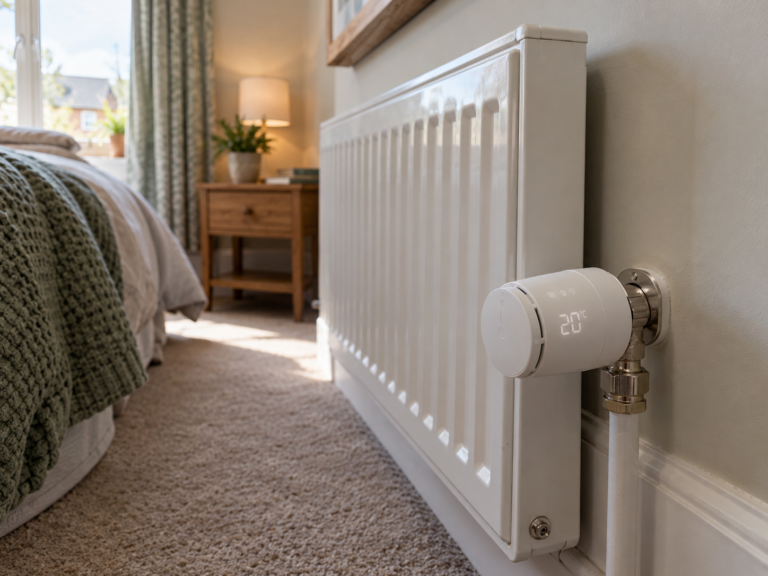
A smart thermostatic radiator valve, or smart TRV, regulates hot water flow through a compatible radiator valve according to its temperature settings.
Depending on the model, the valve may offer local manual controls as well as remote app functions.
However, app-based schedules, remote adjustments and smart home integration often depend on a supported Zigbee gateway.
For example, the Zigbee Smart Radiator Valve available at PYC Online uses the Tuya Smart Life platform and specifies that a compatible Tuya Zigbee gateway is required.
The product supports features including programmable schedules, temperature history, operating modes and supported voice assistant integration.
Before ordering, check whether the selected package includes a gateway. A quantity option containing several radiator valves does not necessarily mean the gateway is included.
Also remember that connecting a smart TRV to a gateway doesn’t automatically give it control over your boiler.
For a detailed explanation of radiator heating controls, read our Smart Radiator Valves Explained guide.
5. Do Tuya and Smart Life Zigbee Devices Need a Specific Gateway?
Tuya Smart and Smart Life are widely used smart home platforms, and many Zigbee heating products are designed to work with their supported gateway ecosystem.
However, using the same app name doesn’t guarantee that every Zigbee device will work with every gateway.
Compatibility depends on factors such as the device model, gateway implementation, supported Zigbee features and available platform integration.
A product that specifies a Tuya Zigbee gateway should be checked against the exact gateway you’re considering.
For example, some Zigbee hubs may support basic temperature reporting but not every specialised function of a connected heating device.
Before buying, confirm:
- Whether the device supports Tuya Smart, Smart Life or another platform.
- Which gateway models are recommended or officially supported.
- Whether the gateway supports the device’s operating modes and schedules.
- Whether the platform supports any automations you intend to create.
- Whether a firmware update or specific setup procedure is required.
Don’t rely solely on the Zigbee logo or the fact that two products use the same wireless protocol.
6. Can One Zigbee Hub Connect Multiple Thermostats and Radiator Valves?
Yes, a suitable Zigbee gateway can often manage multiple compatible smart devices through one network.
This can make Zigbee useful when you’re planning a connected heating system with several radiator valves or thermostats.
For example, you might have a smart TRV in the living room, another in the main bedroom and a third in a home office.
A compatible platform may allow you to view and adjust each device from the same app.
However, there are several things to check before expanding your system.
Gateway Device Limits
Zigbee gateways can have different limits on the number of devices they support.
The actual capacity can depend on hardware, firmware, network design and the devices connected.
Check the manufacturer’s supported device count rather than assuming every hub can accommodate an unlimited number of thermostats and valves.
Signal Coverage
Zigbee supports mesh networking, meaning compatible routing devices can relay communication between other devices.
However, battery-operated thermostats and radiator valves are commonly Zigbee end devices rather than repeaters.
Not every device strengthens or extends the Zigbee network.
Large homes, thick walls and poorly positioned gateways may require additional compatible routing equipment for reliable coverage.
Heating System Integration
Connecting several valves to the same hub doesn’t necessarily create independent boiler-controlled heating zones.
For coordinated room-by-room heating demand, the valves and central heating controller must support the required integration.
Our Smart Thermostat vs Smart Radiator Valves comparison explains how these devices can complement each other.
7. Will a Zigbee Hub Work Without the Internet?
Zigbee communication itself doesn’t require an internet connection.
A Zigbee coordinator and compatible devices can exchange information locally through a functioning Zigbee network.
However, the features available without internet access depend on the specific gateway, thermostat and app.
Some systems support local automations or continue running previously configured schedules. Others depend on cloud services for certain operations.
Remote smartphone control from outside your home generally requires internet connectivity.
If offline operation matters to you, check the manufacturer’s documentation for the exact functions that remain available when the internet connection is lost.
It’s also worth checking how the thermostat behaves if the gateway loses power or becomes unavailable.
A wall thermostat may continue basic local temperature control, but this is not guaranteed for every model or installation.
8. How to Connect a Zigbee Thermostat to a Gateway
The exact setup process varies between manufacturers, but most consumer Zigbee heating devices follow a similar general sequence.
Step 1: Install and Configure the Gateway
Connect the gateway to power and follow the manufacturer’s instructions for linking it to the supported smartphone app and home network.
Some gateways connect through 2.4 GHz WiFi, while others use Ethernet.
Step 2: Add the Gateway to Your Smart Home App
Open the relevant app, such as Tuya Smart or Smart Life, and follow the gateway setup procedure.
Make sure the gateway appears online and is ready to accept compatible Zigbee devices.
Step 3: Put the Thermostat Into Pairing Mode
Follow the thermostat manufacturer’s instructions to activate Zigbee pairing.
This may involve pressing and holding a control button or selecting an option through the thermostat’s interface.
Step 4: Add the Device to the Zigbee Network
Use the gateway or app’s device pairing function to discover the thermostat.
Keep the device within suitable range during initial setup.
Step 5: Check Available Functions
Once connected, confirm that the thermostat reports temperature correctly and responds to supported commands.
Then configure any available schedules, modes or smart home automations.
If the device controls fixed electrical wiring or boiler equipment, its installation and connection must be handled by an appropriately competent professional.
Wireless pairing doesn’t remove the need for correct heating system compatibility.
9. Common Zigbee Hub Connection Problems
If your thermostat or radiator valve isn’t connecting properly, the problem may be related to gateway compatibility, pairing mode or wireless coverage.
The App Can’t Find the Thermostat
Check that the thermostat is in the correct pairing mode and that you’re adding it through a compatible Zigbee gateway rather than trying to connect it as a normal WiFi device.
It may also help to move the thermostat closer to the gateway during initial pairing, where practical.
The Gateway Is Online but the Valve Doesn’t Respond
Check the valve’s battery condition, network connection and supported functions.
If it has recently been moved, the Zigbee network may need time to establish suitable communication paths.
The Device Keeps Disconnecting
Consider gateway placement, wall construction, interference and the availability of compatible Zigbee routing devices.
Both Zigbee and WiFi commonly use the 2.4 GHz band, so appropriate channel planning and equipment placement can matter.
Some Features Are Missing
A device may connect successfully without offering every feature through your chosen gateway or platform.
Check official compatibility information and whether the gateway or device firmware supports those functions.
If the products are not officially supported together, changing settings may not resolve the limitation.
10. What Should You Look for When Buying a Zigbee Hub?
The best Zigbee hub for a smart thermostat is one that supports the exact device and functions you intend to use.
Before ordering, consider the following:
- Device compatibility: Confirm support for your thermostat, smart radiator valves and any other planned equipment.
- Supported app: Check whether the hub works with your preferred smart home platform.
- Internet connection: Establish whether the gateway connects through WiFi or Ethernet.
- Device capacity: Check the supported number of connected products.
- Local functions: Find out whether schedules or automations operate without internet access.
- Voice assistant support: Confirm compatibility with any services you already use.
- Installation location: Consider how well the gateway can communicate throughout your home.
- Future expansion: Think about whether you intend to add more heating controls, sensors or other smart home products.
It’s generally better to choose a confirmed compatible gateway than to select the cheapest available hub and hope your heating devices will work with it.
11. Zigbee Smart Heating Products at PYC Online
PYC Online offers several smart heating products using Zigbee connectivity.
Zigbee TRV Radiator Valve
Our Zigbee TRV Radiator Valve is designed for temperature control on compatible radiators.
It works through the Tuya Smart Life platform and requires a compatible Tuya Zigbee gateway for connected features.
Supported functions include weekly scheduling, multiple operating modes and temperature history.
Zigbee Smart Knob Thermostat
The Zigbee Smart Knob Thermostat is available in different application-specific versions for suitable boiler, electric heating and water heating installations.
Its Zigbee connectivity allows integration with a compatible gateway, but the correct heating variant must also be selected.
Wireless Smart Boiler Thermostat
Our Wireless Smart Boiler Thermostat offers separate WiFi and Zigbee versions for suitable dry-contact boiler control systems.
The Zigbee version uses a compatible Tuya Zigbee gateway, while the WiFi version connects through a supported WiFi network.
Choosing between the two depends on your existing smart home equipment and preferred connection method.
Remember that a Zigbee gateway is not automatically a replacement for a boiler receiver or heating controller.
You can explore the full Smart Thermostat and Heating Controls collection at PYC Online to compare available options.
Zigbee Hub Buying Checklist
Before purchasing a gateway for your smart heating system, make sure you can answer the following questions:
- Does my thermostat or radiator valve actually require a Zigbee gateway?
- Do I already have a compatible Zigbee coordinator?
- Does the gateway support my exact device model?
- Will it work with the app I want to use?
- Are the temperature controls, schedules and other features supported?
- How many devices can the gateway manage?
- Will it provide suitable coverage throughout my home?
- What happens if my internet connection stops working?
- Can I expand the network with additional compatible devices?
- Do I need separate equipment to connect my heating controls to the boiler?
Checking these details in advance can help avoid purchasing unnecessary equipment or discovering compatibility problems during setup.
Frequently Asked Questions
Do all Zigbee thermostats need a hub?
Zigbee thermostats generally need a compatible coordinator to join a Zigbee network. This might be a standalone gateway or built-in functionality in another supported smart home controller.
Can I connect a Zigbee thermostat directly to WiFi?
Normally, no. Zigbee and WiFi are different protocols. A typical Zigbee thermostat connects through a Zigbee network rather than directly to a standard WiFi router.
Can I use any Zigbee hub with a Tuya thermostat?
Not necessarily. The gateway must support the exact thermostat and the features you need. A generic Zigbee label doesn’t guarantee full compatibility with Tuya devices or their functions.
Do Zigbee radiator valves need a hub?
Many do, particularly for app-based control and smart home integration. Check the specific product description and gateway requirements before buying.
Can one Zigbee hub control several radiator valves?
Yes, many gateways can connect multiple compatible Zigbee valves. The supported device limit and available control features depend on the gateway and platform.
Does a Zigbee gateway work without the internet?
Basic Zigbee communication can operate locally without internet access. However, remote control, cloud-based services and certain automations may require an internet connection, depending on the system.
Is a Zigbee hub the same as a boiler receiver?
No. A Zigbee hub connects compatible Zigbee devices to a network. A boiler receiver or heating controller provides the necessary control connection to the heating system. Some integrated products may combine functions, but they shouldn’t be assumed interchangeable.
Can I use a Zigbee thermostat without a smartphone?
Some models allow basic temperature adjustments using physical controls after setup. However, initial pairing, scheduling and connected features may require an app or compatible controller.
Should I choose WiFi instead of Zigbee to avoid buying a hub?
WiFi may be a simpler option if you only need one compatible smart thermostat. Zigbee can be useful when connecting several supported smart home devices. Choose based on your heating system, existing equipment and long-term requirements.
Final Thoughts
If you’re buying a Zigbee smart thermostat or radiator valve, understanding gateway requirements is essential.
Most Zigbee heating devices need a compatible coordinator to provide connected functions, but this doesn’t always mean purchasing a separate standalone hub.
If your current smart home system already includes suitable Zigbee support, you may be able to use it. However, the exact device model and required features must be checked.
For a simple standalone thermostat, WiFi may be easier to set up. For a larger smart heating system using compatible radiator valves and other devices, Zigbee can offer a flexible alternative.
Whichever option you choose, confirm compatibility before purchasing and remember that wireless connectivity doesn’t establish boiler or electrical installation suitability.
Related Guides
- How to Choose a Smart Thermostat for Your Home: UK Buying Guide
- WiFi vs Zigbee Smart Thermostats: Which Is Better?
- Will a Smart Thermostat Work With My Boiler?
- Smart Thermostat vs Smart Radiator Valves
- Smart Radiator Valves Explained
- Best Smart Thermostats for Underfloor Heating
- Do Smart Thermostats Save Money on Heating Bills?
Further Reading
- Connectivity Standards Alliance – Information about Zigbee technology and connected device standards.
- Connectivity Standards Alliance Certified Products – Information about certified connected products and standards compliance.
- Zigbee Direct FAQ – Official explanation of Zigbee Direct and compatible Bluetooth-based onboarding.
People Also Search For
do you need a zigbee hub, zigbee hub for smart thermostat, do zigbee thermostats need a gateway, zigbee radiator valve hub, tuya zigbee gateway, smart life zigbee hub, can zigbee work without a hub, zigbee thermostat without wifi, zigbee gateway vs wifi router, zigbee smart heating system, best zigbee hub for radiator valves, zigbee thermostat compatibility, zigbee hub without internet, zigbee coordinator UK, smart radiator valve gateway

Leave a comment